
Key Account Manager Daily Workflow: What to Check Every Morning
A practical daily workflow for Key Account Managers who need to manage revenue, projects, tasks, stakeholder gaps, relationship health, and follow-ups without turning CRM into busywork.
Reviewed against the current Visioner product and the sources linked in this guide. No customer result, market rank, or performance outcome is implied.
What to remember
A strong KAM daily workflow starts with the account portfolio, not with a generic pipeline report.
The most useful morning check combines target gap, active projects, urgent and important tasks, waiting replies, relationship health, and stakeholder gaps.
Visioner is designed to make this daily operating rhythm visible in one workspace so completed work can later become account-plan evidence and weekly progress.
Why a KAM daily workflow is different
A Key Account Manager is usually not trying to process hundreds of leads. They are trying to protect and expand a small number of high-value relationships where the buying committee is complex, the decision path changes, and one missed stakeholder can reshape the deal.
That is why the daily workflow should not begin with a long CRM form. It should begin with a simple question: which account needs attention today, and why?
- Start with the whole portfolio before opening individual accounts.
- Treat incomplete account knowledge as a signal, not a blocker.
- Make relationship health and stakeholder coverage visible next to project work.
The morning portfolio check
The first screen should tell the KAM whether they are on track. Current ARR, target ARR, projected revenue, weighted revenue, and the remaining gap should be visible without reading a spreadsheet.
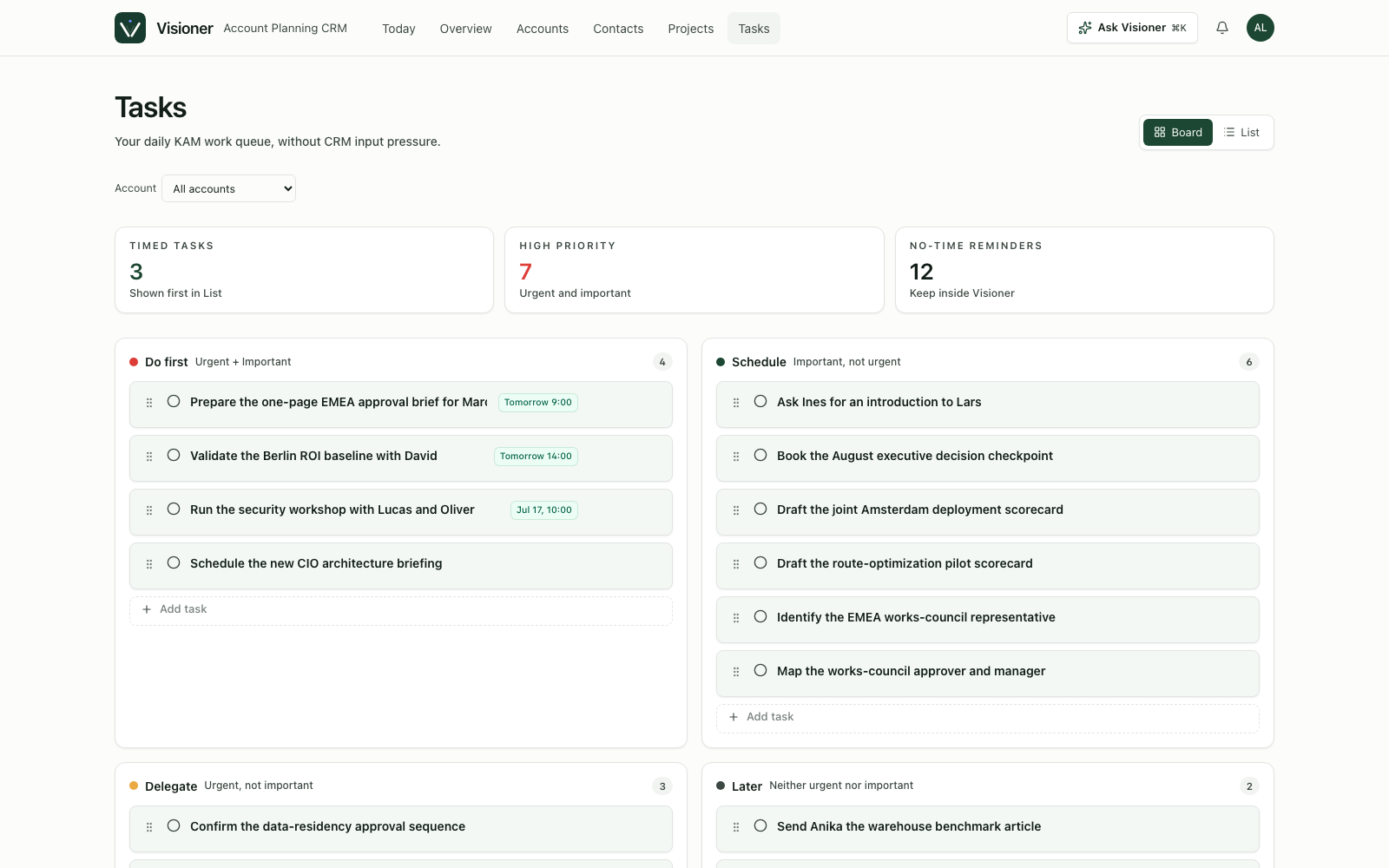
The next question is execution: what needs to happen today? A useful KAM workspace should show urgent tasks, important tasks, overdue follow-ups, and scheduled reminders without forcing every task into a formal project plan.
- Review current ARR, target ARR, achievement rate, and gap to target.
- Scan active projects by expected revenue, close timing, probability, and next step.
- Check urgent and important tasks before opening email.
- Move completed tasks into weekly progress so work becomes visible over time.
The account check
After the portfolio view, the KAM should open the few accounts that matter today. The account overview should answer what is moving, what is blocked, who matters, and which relationship needs care.
This is where account planning becomes a working canvas. Projects, stakeholders, relationship health, local signals, notes, and activity should sit close together so the KAM can move from insight to action quickly.
- Identify the highest-value active project and the next step.
- Check whether key stakeholder roles are filled or still unknown.
- Look for stale contacts whose relationship health has dropped.
- Review waiting replies and recent account activity before sending another message.
The communication check
Many KAMs lose time because customer communication lives in email, while account memory lives somewhere else. A practical workflow should reduce duplicate entry as much as possible.
BCC email capture is one way to do this. The KAM sends the customer email as usual, BCCs Visioner, and the message can become account activity. In V1, waiting reply remains a reminder unless the reply is forwarded or a deeper mailbox integration is enabled.
- Before sending a follow-up, check the last meaningful touch and current project context.
- Use BCC capture for outbound customer emails when the plan supports cloud capture.
- If the project is unclear, route the email to a review queue instead of guessing.
- Let communication history update the account plan instead of retyping the same context.
The stakeholder check
A healthy account plan should make missing influence easy to see. If a project has only one champion and no economic buyer, legal owner, procurement contact, or executive sponsor, the risk should be obvious.
The daily workflow does not require the KAM to finish the org chart every morning. It only needs to reveal the next missing relationship that could matter.
- Review stakeholder roles for the project that is closest to revenue.
- Use unknown seats as placeholders for missing influence.
- Update report lines when new contacts are discovered.
- Treat cold executive or procurement relationships as account risks, not personal admin tasks.
The weekly progress check
A good daily workflow should create the weekly account update almost automatically. Completed tasks, logged emails, project movement, stakeholder updates, and relationship touches become a record of progress.
This is where Visioner can help the KAM and the manager at the same time. The KAM gets a calm daily workspace. The manager gets a better account plan because the work was captured naturally during the week.
- Review completed tasks at the end of the week.
- Summarize project movement, new risks, and stakeholder changes.
- Turn relationship activity into account-plan evidence.
- Use the weekly record to prepare forecast conversations without rebuilding the story from scratch.
How Visioner fits this workflow
Visioner is built as an Account Planning CRM for the KAM's daily work. Portfolio Home, account overview, projects, tasks, contacts, org chart, relationship health, local signals, and BCC capture are designed to make the morning workflow concrete.
The goal is not to replace every enterprise CRM on day one. The goal is to become the first workspace a strategic account owner wants to open when they ask: what should I do for my accounts today?
- Use the free plan to manage up to three accounts.
- Use Basic when BCC email capture and cloud login are needed.
- Use future enrichment workflows only when they support the daily KAM rhythm, not as another data-entry burden.
Sources and review basis
These references support the guide's category definitions and operating context. Visioner product details are checked against the current public product and pricing pages.
- Gartner: Increase Seller Account Planning Adoption
Research summary on making account planning relevant and usable in daily workflows.
- McKinsey: Digital and key-account management
Research context for digital support, personalization, and better KAM tools.